
Agents looking to expand their online presence can significantly benefit from using Google My Business for real estate. Setting up a Google My Business for real estate profile allows real estate agents to update crucial information about their business, such as their home address, phone number, and working hours. This ensures that potential new clients can easily find and contact them.

To start, real estate agents should claim their business listing by searching for their business name on Google and clicking the “Claim This Business” link. This process allows them to verify and take control of their business profile, enabling them to add photos and detailed descriptions that make their listings more attractive and informative.
In addition to providing basic business information, local agents should focus on collecting reviews to build credibility and attract more clients. Positive reviews from satisfied clients can enhance the business’s reputation and visibility. Engaging actively through Google My Business for real estate helps agents connect with prospective buyers and sellers, streamline their online interactions, and drive more leads organically.
Setting Up Account on Google My Business for Real Estate

Setting up your account on Google My Business for real estate involves creating your account and then verifying your business information. Proper setup ensures that your business profile is accurate and visible on Google.
Creating Your Google My Business for Real Estate
To begin, go to the Google Business Profile page and click on “Manage now.” You will be prompted to sign in with your Google account. If you don’t have one, you’ll need to create a Google account first.
Next, enter your business name and address. Make sure the information is accurate, as this will be what potential customers see. If your business doesn’t have a physical location, you can choose to hide your address and only show the service area.
After entering the business address, you will need to provide a business category. Be specific to make it easier for people to find your business in relevant searches. Next, add your contact details, including your phone number and website.
Verifying Your Business
Verification is essential to ensure the authenticity of your business profile. Google offers several methods for verifying your business, but the most common is by postcard, which can take a few days to arrive. To start the verification process, go to the Google Business Profile verification page.
You can choose other methods based on availability, such as phone or email verification. Once you receive the postcard, it will contain a verification code; enter this code on your Google Business Profile to confirm your information.
Proper verification strengthens your online presence and helps build trust with potential customers, ensuring that your business details are credible and searchable on Google.
1. Optimizing Your Business Profile
To make the most of your Google My Business for real estate profile as an agent, it’s crucial to focus on adding high-quality photos, crafting a strong business description, and regularly updating essential business details. Each of these elements plays a critical role in attracting potential clients and establishing credibility.
Adding Compelling Photos
High-quality photos can significantly enhance your Google My Business for real estate profile. Real estate agents should showcase their best property listings, office space, and team members. Photos must be clear, well-lit, and representative of your brand.
Use a variety of images to capture attention in your Google My Business for real estate. Include exterior and interior shots of properties, highlighting unique features. Adding images of the surrounding neighborhood can give prospective buyers a feel of the area. Uploading consistent, professional photos boosts engagement and credibility.
Ensure images are regularly updated to reflect any changes in listings or office space. Add captions or descriptions to each cover photo to provide context. Google prioritizes profiles with up-to-date and diverse images, making it easier for clients to find you in local searches.
Crafting a Strong Description
Your business description on Google My Business for real estate should be clear and concise, highlighting what sets you apart from competitors. Start with a compelling opening that captures your audience’s interest. Include keywords related to real estate and the services you offer to improve SEO.
List the unique selling points (USPs) such as years of experience, specialized services, or notable achievements. Make sure to mention any awards, certifications, or memberships in professional organizations. These details build trust and establish your authority in the real estate market.
Avoid jargon and focus on what potential clients need to know. Keep the tone professional yet approachable. A well-crafted description not only informs but also entices prospective clients to learn more about your services.
Updating Essential Details
Regularly updating essential business details is vital for keeping your Google My Business for real estate profile accurate and trustworthy. This includes your business name, email address, phone number (NAP), and hours of operation. Ensure that your contact info is consistent across all online platforms.
Add or update services you offer, such as buying, selling, and rental assistance. Include links to your website and social media profiles for more information. Verify that your Google My Business for real estate profile aligns with other listings on sites like Yelp, Facebook, and Realtor.com.
Keep the business hours current, especially during holidays or special events. Accurate details improve your profile’s visibility in local searches and help clients reach you without confusion. Frequent updates show that your business is active and responsive, enhancing client trust.
2. Leveraging Google Reviews

Collecting and managing Google Reviews effectively can significantly enhance your online presence and attract potential clients. This section covers both encouraging customer reviews and responding to them to maximize engagement and reliability.
Encouraging Customer Reviews
Encouraging customer reviews in Google My Business for real estate is crucial for building trust and credibility. Real estate agents should actively request reviews from satisfied clients. Asking immediately after a successful transaction increases the likelihood of positive feedback.
Utilize different communication channels like email and text to request reviews. Providing a direct link to the review page simplifies the process, making it more likely that clients will follow through. Additionally, highlighting the importance of these reviews for growing the business can motivate clients to take action.
Consistently asking for reviews will help maintain a steady stream of testimonials. A higher volume of reviews can boost your profile’s visibility on Google, leading to more inquiries and leads.
Responding to Reviews
Responding to reviews in Google My Business for real estate, both positive and negative, is vital for engagement and relationship building. Acknowledging positive reviews shows appreciation and reinforces a positive experience. Phrases like “Thank you” and “We appreciate your feedback” can go a long way.
Addressing negative reviews professionally and promptly demonstrates a commitment to customer satisfaction. Apologize when necessary, and offer to resolve the issue offline if possible. This approach not only shows potential clients that you value feedback but also helps mitigate the impact of negative testimonials.
Regularly monitoring reviews ensures that you can respond in a timely manner, further enhancing your online reputation.
3. Improving Local SEO and Visibility
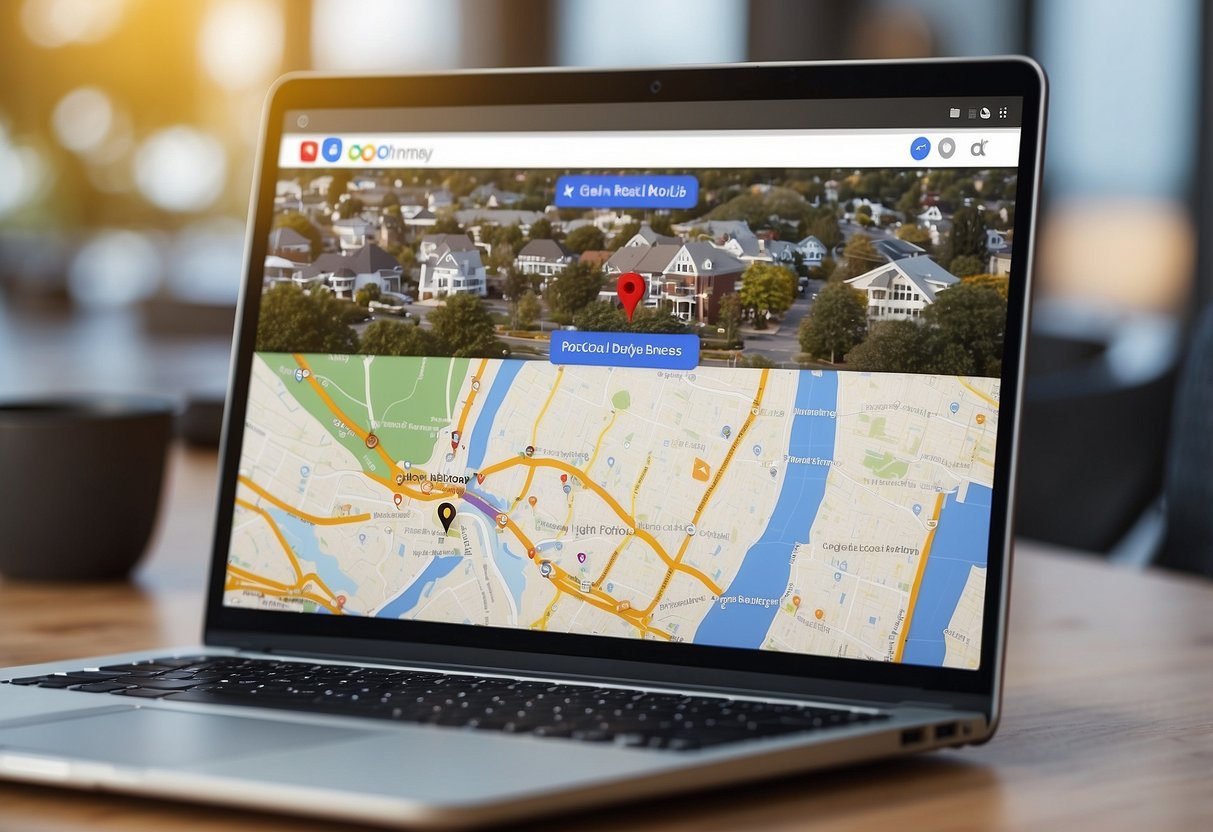
Maximizing your Google My Business for real estate profile can significantly enhance your local SEO and visibility. By carefully selecting keywords and leveraging local search features, you can ensure your real estate business stands out in search results.
Utilizing Keywords
Effective keyword usage is crucial for improving your local SEO. Start by incorporating relevant keywords into your Google My Business for real estate. Include terms that potential clients might use when searching for real estate services, such as “buy property in [location]” or “real estate agents near me.”
Make sure these keywords are present in your business description, services, and even in customer reviews, if appropriate. Google’s algorithm favors profiles with consistent and relevant information, so maintaining keyword integrity is essential for your visibility in local search results.
Engaging with Local Search Features
Google offers multiple features within its business profiles that can enhance your local search visibility. Use the Photos and Posts features to keep your profile active and engaging. Regularly upload high-quality images of properties and post updates about new listings or market trends in Google My Business for real estate.
Take advantage of Google Maps integration, ensuring your location data is accurate and up-to-date. Encourage satisfied clients to leave positive reviews, as high ratings can influence your rank in local search results. Answering questions and responding to reviews also boosts engagement and credibility. These steps can make your business more attractive to potential clients browsing through Google Search and Maps.
By implementing these strategies effectively to Google My Business for real estate, you can achieve better local SEO performance, drawing more eyes to your listings and enhancing your presence in the community.
4. Managing and Posting Content

Effective content management and posting are essential for maximizing the visibility and engagement of Google My Business for real estate. Regular posts and event updates help keep the audience informed and engaged.
Crafting Regular Posts
Creating regular posts on a Google My Business for real estate is crucial for maintaining an active online presence. Agents should focus on posting high-quality content that highlights their listings, services, and expertise in real estate.
Posts in Google My Business for real estate can include new property listings, market updates, and client testimonials. Including high-resolution images and clear, concise descriptions will attract more attention. Agents should aim to post at least once a week to keep their audience engaged in Google My Business for real estate.
Using bullet points and bold text can help highlight essential information and make posts more reader-friendly. Employing keywords in Google My Business for real estate related to real estate in the posts can also improve SEO, making the profile more discoverable in local searches.
Sharing Updates and Events
Sharing timely updates and events such as open houses and community activities can significantly enhance engagement in Google My Business for real estate. Agents should use the Google My Business for real estate platform to announce upcoming events, open house schedules, and any special promotions.
For example, a post about an open house should include the date, time, exact address, and high-quality photos of the property. Event posts provide an opportunity to engage with potential clients and encourage them to attend.
Agents can also share updates on market trends, new services, or changes in office hours. Keeping the content fresh and relevant in Google My Business for real estate ensures the audience stays informed and interested. Utilizing event-specific keywords can further enhance the profile’s visibility in search results.
Using lists and clear formatting in Google My Business for real estate helps readers quickly digest the information, making it more likely they will engage with the post and attend the events.
5. Tracking Performance with Insights

To optimize your real estate business on Google My Business for real estate, understanding and analyzing performance data through Insights is crucial. Let’s look at how to track performance, ROI, and engagement metrics effectively.
Analyzing GMB Insights
Google My Business for real estate Insights provide valuable data about how prospective customers interact with your business listing. For example, it shows how often your business appears on Google Search and Maps, and what actions customers take after finding your listing.
Metrics to Track:
- Search Queries: Discover what search terms direct users to your listing.
- Views: Monitor how many times your listing has been viewed.
- Actions: Track actions such as website visits, direction requests, and phone calls.
Using these metrics helps in understanding user behavior and optimizing your profile to increase engagement and ROI. You can download a bulk performance report by signing in to the Business Profile Manager on your computer, selecting the desired profiles, and clicking on “Download Insights”. Make sure to select the appropriate time-frame for accurate data analysis.
By consistently analyzing these insights, real estate agents can make informed decisions to improve their Google My Business performance.
6. Integrating with Social Media Platforms
Integrating your Google My Business profile with social media platforms enhances your online presence and allows you to connect more effectively with potential clients. Key strategies include connecting with Facebook and utilizing Instagram and YouTube.
Connecting with Facebook
To link your Google My Business profile with Facebook, log into your Google My Business dashboard and navigate to the “Edit Business Info” section. Scroll down to the social media section and select “Edit profile.” From there, proceed to “Business information” and then “Contact.”
In the contact section, find the social profiles area where you will enter your Facebook page URL. This connection allows for automatic sync of your business details between platforms, ensuring consistent information. It also enables you to leverage Facebook’s vast user base for enhanced visibility and engagement opportunities with prospective clients.
Utilizing Instagram and YouTube
Linking Instagram to your Google My Business profile is a similar process. Access the profile and go to “Edit Business Info.” Scroll to the social media section and select Instagram from the dropdown menu. Enter your Instagram handle to integrate your profiles. This setup showcases your real estate images and videos, attracting more viewers and potential clients.
For YouTube, link your channel in the same section. Adding high-quality videos, such as virtual home tours or client testimonials, can significantly improve your appeal. Both platforms help extend your marketing reach, engaging different audiences with visual content and boosting your business presence on Google Search and Maps. This ensures you capture a wider audience across multiple social networks.
7. Maximizing Lead Generation

Effective lead generation is crucial for real estate agents aiming to grow their client base and foster long-term relationships with buyers and sellers. Leveraging Google My Business can significantly enhance visibility and engagement.
Capturing Buyer and Seller Leads
To capture new leads, it is essential to keep the Google My Business profile up-to-date. Accurate contact date information, business hours, and location details help potential clients find and reach out to you easily. Regularly updating google posts and photos can keep your profile active and engaging.
Responding promptly to questions and reviews can build trust and demonstrate responsiveness. Use compelling calls-to-action, such as “Call now” or “Request a consultation,” to convert profile visitors into active leads.
Encourage satisfied clients to leave positive reviews. Reviews enhance credibility and attract more traffic to your profile. Utilize Google My Business’s messaging feature to capture leads directly, providing an easy and instant way for potential clients to communicate.
By consistently optimizing and updating the profile, real estate agents can effectively capture and nurture both buyer and seller leads through Google My Business.
8. Maintaining Accurate Listings

Maintaining an accurate Google My Business listing is crucial for real estate agents to ensure potential clients have the most current information. Keeping details such as address, phone number, and business hours up-to-date can boost client engagement and trust.
Regularly Reviewing and Updating Information
It’s important to regularly review and update business information. This includes verifying that the business address is correct and ensuring the phone number is current. If the office moves to a new location, updating the Google My Business profile immediately can prevent client confusion.
Make sure that the website URL is accurate and that any links direct users to the correct pages. Ensuring the service areas listed reflect where the real estate agency operates is vital for targeting the right audience.
Regularly updating business hours is also essential. If there are changes in operating hours, reflect those changes promptly. Additionally, adding or updating photos and descriptions keeps the profile fresh and engaging. This can help improve search rankings and customer interactions.
Check for any outdated or incorrect information and correct it immediately. This includes updating any seasonal working hours or special event openings. Consistency across all platforms helps maintain a professional image and ensures clients receive reliable information.
Learn More About eXp Realty & Our Free Partnership Team!

If you are interested in joining the best brokerage for agent growth, compensation, and opportunity in the world, be sure to partner with the best sponsorship team in the world as well! We provide additional training, tools, coaching, partners, collaboration, masterminds, and resources for your success!
We believe in massive growth and financial freedom for all real estate agents! Live your dream real estate lifestyle with us.
For more eXp Realty details, check out our comprehensive About eXp Realty – Everything You Need to Know article.